

The AI Workflow scaling 1600+ comparison pages with Clay
Ship hundreds of programmatic pages without turning them into pSEO slop.


Welcome back to The Workflow, where one thing keeps proving true: AI didn’t replace marketers; it exposed their lack of strategy.
This week’s guest is Matteo Tittarelli, founder & solopreneur at Genesys Growth, a B2B SaaS product marketing and content consultant whose AI workflows regularly make us stop scrolling. If you’ve seen him document his work on LinkedIn, you’ll recognize him as a true GTM engineer in action.
Matteo is a solo operator, which usually means capacity is the ceiling. With AI, that ceiling stretched to the max, allowing him to scale his output without scaling headcount.
In 2025, that leverage allowed him to handle up to 6 clients per month on his own, while keeping a (mostly) normal workweek without turning his calendar into a sleep-deprivation experiment.
Today, we scrutinize one of his wildest and most successful AI experiments so far. Scaling competitor and category comparison pages (1600+, to be exact), killing manual work while keeping the quality bar high.
Impossible? You’ll see.
✅ What you’ll learn
How to scale 1600+ competitor pages without sacrificing quality
How to scale SEO content without producing AI slop
How to use Clay for programmatic SEO

🧨 What triggered The Workflow
Comparison pages became a recurring client request for Matteo. SaaS in crowded markets with thousands of products and features need content that explains why they’re different (and better). There are so many ways to approach this: comparing tools, feature categories. Then adjacent categories. Before long, you’re staring at hundreds of pages.
Doing this manually wasn’t an option if he wanted to keep his sanity. Pricing changes. Reviews age. Feature claims drift. At scale, errors spread fast.
So the GTM engineer re-engineered the process.
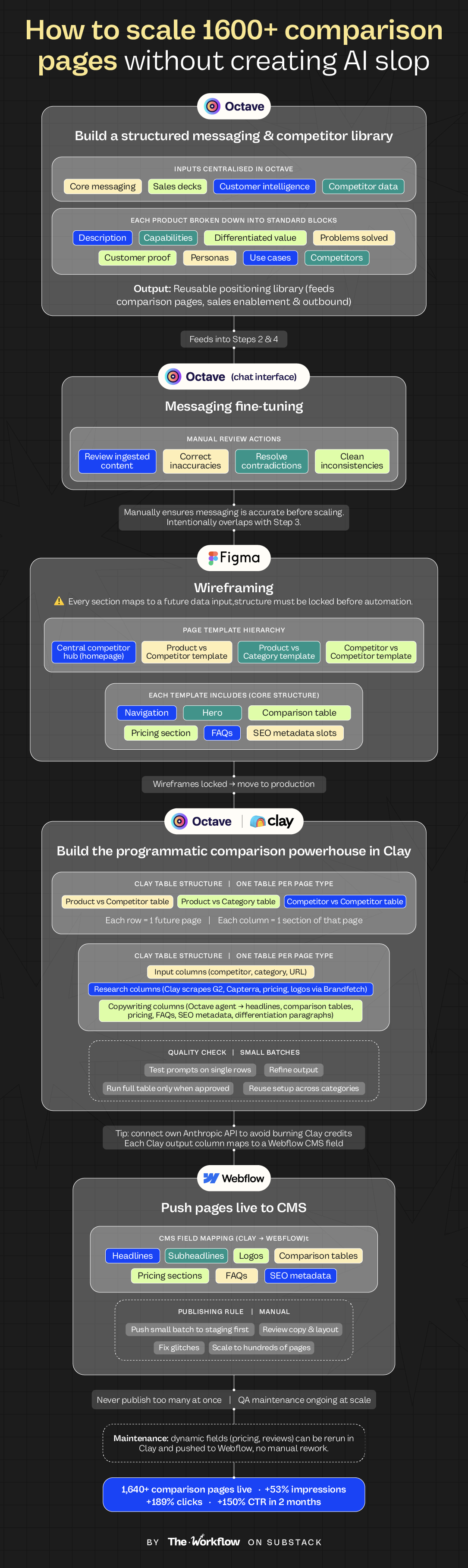
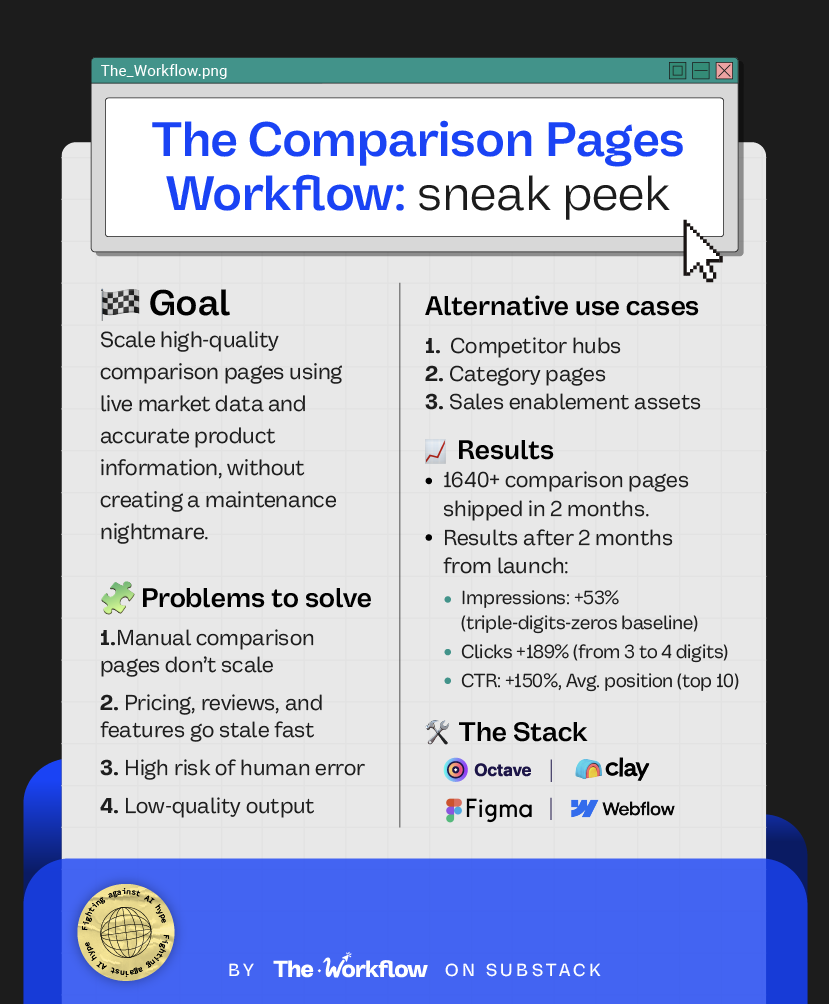
He built a workflow that pulls together live market data, reviews, and pricing, anchored by a structured positioning library. The result is a scalable comparison-page engine that stays fresh, doesn’t become a maintenance nightmare, and drove a 38% increase in organic impressions just two weeks after the first pages went live.
🛠️ How to build The Workflow
To build this workflow, start by defining what matters in your ICP’s buying decision. Only then use AI to handle the grunt work needed to scale. You don’t just want to create pages, you want to express how you see the market.
Here’s how the pieces connect, from the positioning that drives every comparison to a scalable hub of product marketing pages.
Steal Matteo’s prompts and save yourself the trial and error.
Step 1: Build a structured messaging and competitor library
Ahhhhh, the good old foundational work required to do anything interesting with AI.
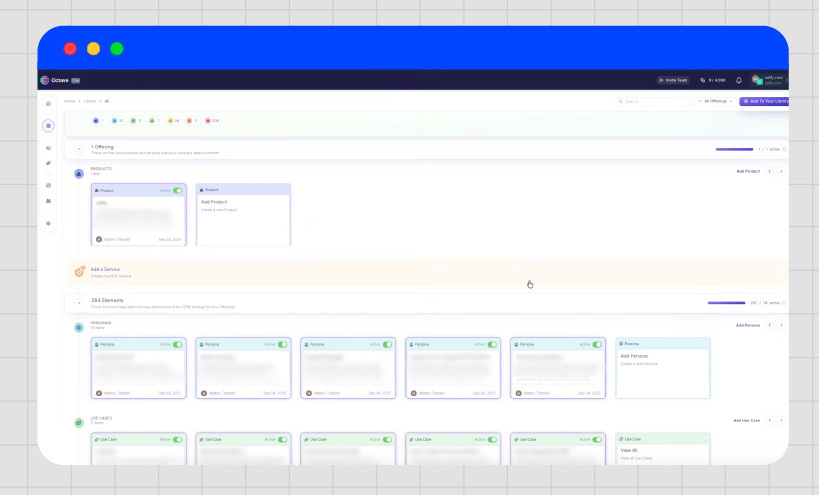
Use Octave to centralize the building blocks of a company’s narrative. Core messaging, sales decks, customer intelligence, and selected competitor data live in one structured place.
Each product is broken down into the same core blocks: description, differentiated value, capabilities, problems solved, and customer proof. That structure also applies to personas, use cases, segments, reference customers, and competitors.
“You’d be surprised how many companies don’t have a real source of truth for their messaging.”
Matteo, we believe you.
Congrats! You just created a reusable positioning library that feeds comparison pages, sales enablement, and outbound personalization, without breaking consistency.
Step 2: Messaging fine-tuning
The last thing you want is to scale wrong or inconsistent messaging.
Use Octave’s natural language chat interface to review what was ingested, correct inaccuracies, resolve contradictions, and clean up inconsistencies across products, personas, and competitors in your library.
Step 3: Wireframing
While refining the messaging, it’s critical to think ahead about how that information will live on the pages. This step intentionally overlaps with messaging work to prevent bottlenecks later.
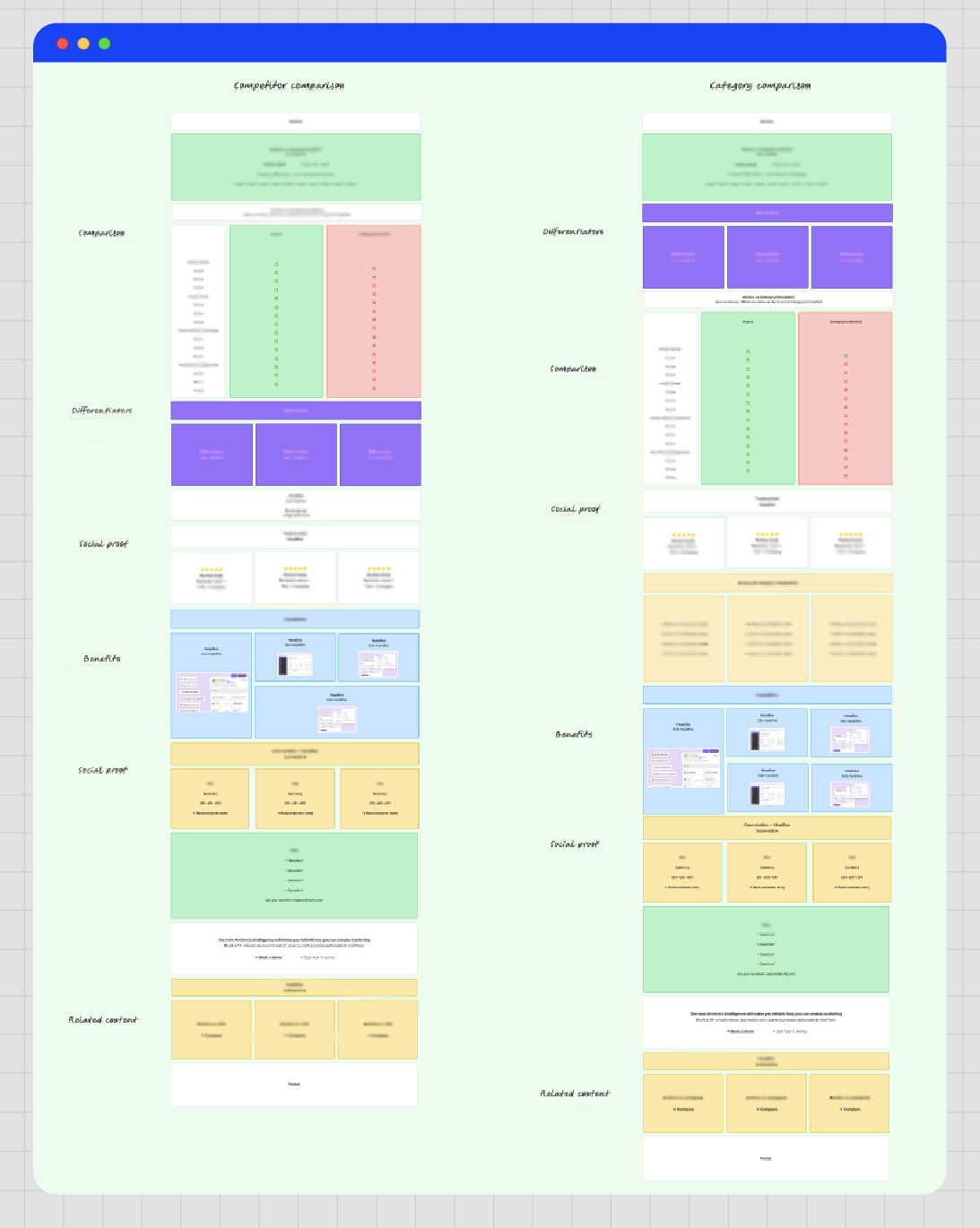
Matteo recommends collecting examples of ideal landing pages, then building section-by-section wireframes for each page type in Figma. Make sure to follow a clear hierarchy:
a central competitor hub that acts like a homepage,
reusable templates for product vs competitor, product vs category, and competitor vs competitor pages.
Each template should follow the same core structure, from navigation and hero to comparison tables and supporting sections.
Every wireframe is designed with future automation in mind. Each section corresponds to a specific data input that will later be generated and populated programmatically. Locking the structure and hierarchy at this stage allows the system to scale to hundreds of interlinked pages without collapsing later.
Step 4: Build the programmatic comparison powerhouse in Clay
With the wireframes locked, move into production. Clay is the workspace where every comparison page is assembled at scale, using the messaging and positioning already defined in Octave.
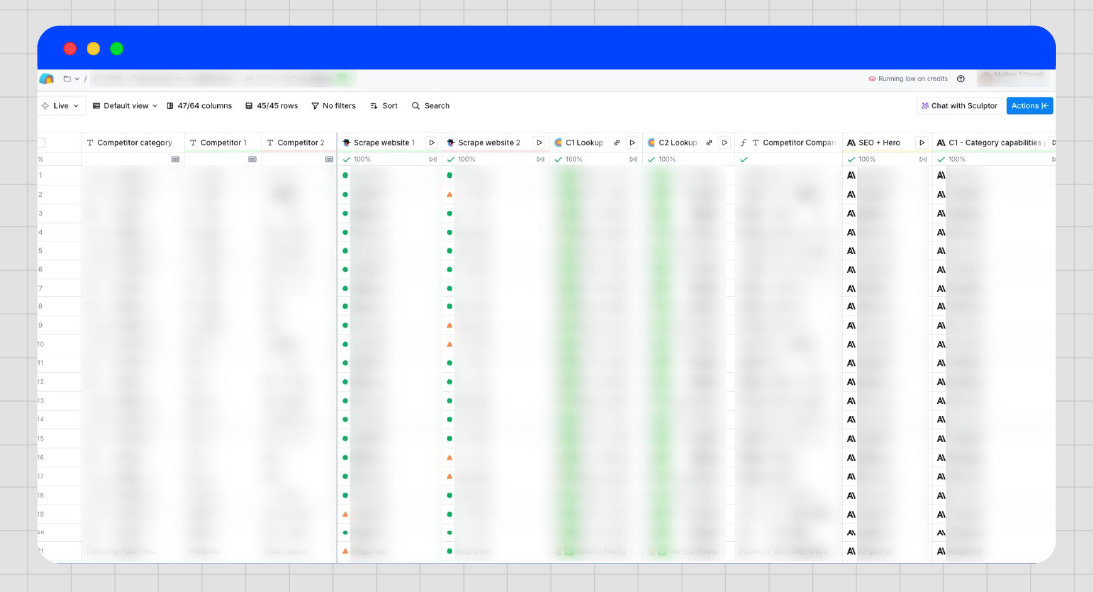
Instead of creating pages one by one, Matteo creates tables. Each table represents one type of page. One table powers product vs competitor pages. Another powers product vs category pages. A third handles competitor vs competitor pages for any specific category (and you can scale this for as many adjacent categories you have!). The layout of each table is almost fixed (only a few comparison fields can change, but it’s up to you). What changes from row to row is the page’s subject, such as a specific competitor, category, or pairing.
Think of each row as one future page, and each column as one piece of that page. That’s the foundation everything else builds on.
First come the input columns. These define what each row represents, such as a competitor, category, or URL. This is the minimum information needed to anchor a page.
Next are the research columns. Clay scrapes competitor websites, pulls reviews from sources like G2 and Capterra, and fetches logos via Brandfetch.
Then come the copywriting columns. This is where Octave comes back in. Use the Octave content agent inside Clay to pull messaging and positioning from the library created in step one. That context is combined with the research data to generate SEO metadata, headlines, comparison tables, pricing sections, differentiation paragraphs, and FAQs.
Because each column maps to a specific section of the page, Clay is able to fill predefined slots.
Tip: Work in small batches to protect quality and avoid burning credits (or connect your Anthropic API for saving Clay credits altogether!). Test prompts on single rows, refine them, and run the full table only then. Once it holds, the setup can be reused across categories with minimal changes.
Grab Matteo’s best prompts to populate your Clay tables
Step 5: Push pages live to your Content Management System
Time to bring these gems live! Matteo loves Webflow as a CMS because it offers precise field mapping and solid SEO controls.
Each output column in Clay maps to a specific Webflow CMS field. Headlines, subheadlines, logos, comparison tables, pricing sections, FAQs, and SEO metadata all have predefined destinations, which makes publishing smooth as butter.
Pages can be pushed either to staging or directly live, but one rule holds: never publish too many at once. Start with a small batch, review it carefully, fix copy or layout glitches, and only then scale up to publishing hundreds of pages.
The real win is maintenance. Because pages are generated from Clay tables, updates don’t require manual rework. Dynamic fields like pricing or reviews can be rerun and pushed to Webflow without turning updates into a nightmare.
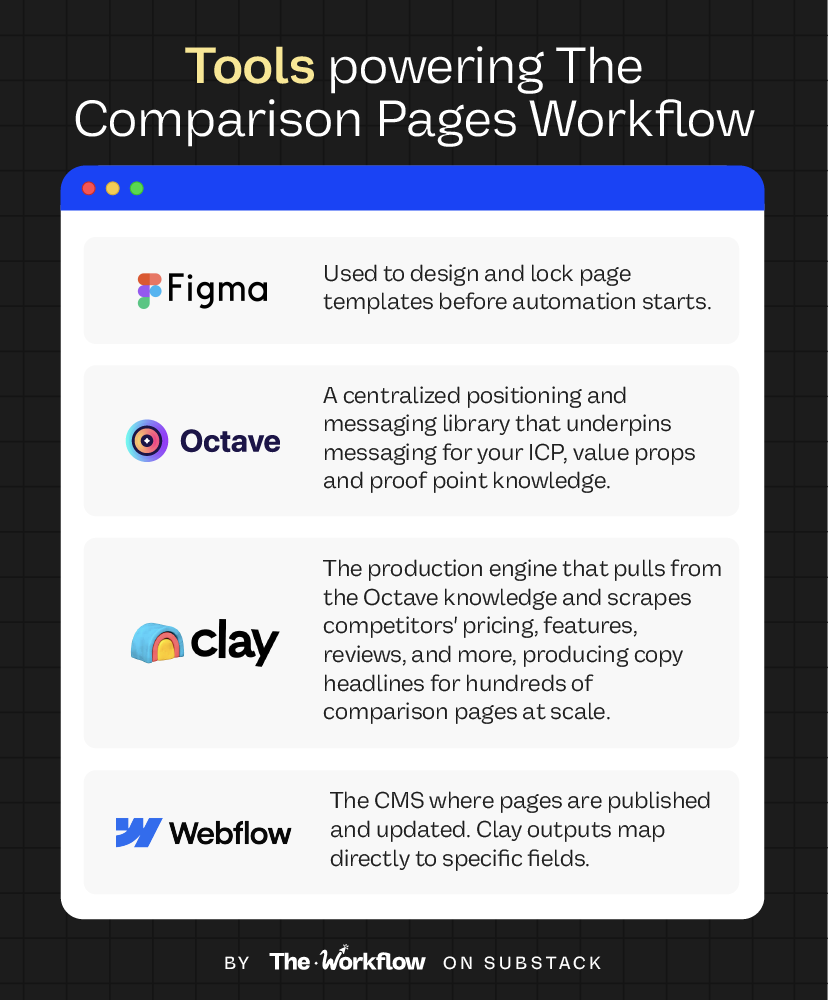
🤖 Tools powering the Workflow
This isn’t an easy workflow, but the logic applies to any project that needs to scale. AI and automation only amplify the foundation you give them. Here, positioning comes first and speed follows. And yes, Matteo more or less invented a whole new use case for Clay 🤯
🎢 Highs, lows and Workflow warnings
✅ What shines
Crazy results, fast
It took about 1.5 months to launch the first 500 pages. But two weeks after launch, organic impressions were up ~40%, clicks rose ~150%, and CTR doubled (on an already three-digits baseline ;). Fresh pages also started surfacing regularly in AI overviews for queries like “[competitor] pricing”.Set up once, reuse forever
The real strength of this workflow is its versatility. The same structure supports every type of comparison page, so expanding into new categories like “[your brand] vs [category]”, “[competitor] vs [category]”, or “[category] vs [category]”, or adding new players, becomes almost plug-and-play.
❌ What doesn’t shine
Quality assurance is a pain
Even when everything looks perfect in Clay, issues tend to pop up once content hits the CMS. Fields don’t always stitch together cleanly (especially with custom HTML code blocks), mappings break, and small glitches appear. Expect manual fixes and ongoing QA maintenance, especially at scale!Slow time to value
The upfront work is heavy. Wireframing, design, prompt tuning, tone calibration, CMS field mapping, and custom HTML code and workflow setup all take time. Matteo spent roughly two months getting the first large batch live. After that, the ROI compounds.
⚠️ Workflow warning
This workflow only makes sense in hypercompetitive, mature markets with complex, feature-rich products. To make it work, you need to know how to build strong landing pages and understand both buyer intent and LLM scraping behaviour. AI and automation aren’t the only hard part here.
✨ The Goldflow
While everyone and their mother is obsessing over scaling faster, Matteo is obsessing over getting the fundamentals right.
“AI needs to be told what good looks like. That only works if you have context: your ICP, your market, your competitors.”
Yet another reminder that scale and tools aren’t strategy. They never were. They never will be.
Sara Stella & Diandra ✌🏼
🏗️ Send this to the friend who still builds comparison pages one by one.
😢 Can’t survive two weeks without us?
Catch up on past Workflows and steal the playbooks you missed.
💡 The LinkedIn Content Workflow for scaling thought leadership
 | A guest post by
|