



Welcome back to The Workflow, the newsletter determined to prove that not all n8n builds need 127 nodes, a PhD in DevOps, and a prayer circle to function.
In our last issue, we unpacked Harmony, the sophisticated editorial engine powering Search Engine Land, a full-blown n8n orchestra built by tech specialists and serving an entire editorial team. Today we are sticking with n8n, but our guest brings a workflow that is definitely lower-maintenance.
Aldo Gnocchi, Program Director and Lecturer at Swiss University FHNW and Owner of the Senior Digital Expert Collective Gnocchi & Friends, has been experimenting on the internet since you had to pay by the minute and pray your new hobby didn’t bankrupt you. Today, he still gets the same spark in his eyes when he talks about what AI makes possible.
One of the biggest shifts for him has been cutting out the tasks that eat time but add little value. Creating website and homepage audits from scratch was right at the top of that list. His solution is a surprisingly simple n8n workflow that scrapes any webpage, analyzes it with an AI agent, and spits out a structured audit ready for a touch of human expertise.
It’s fast. It’s rough around the edges. And it saves him from the kind of repetitive work that makes even the most seasoned marketers question their career choices.
Let’s get into it 👇🏼
✅ What you’ll learn
How to build an AI website audit workflow [complex and simple version]
How to prompt AI to audit any webpage like a seasoned CRO expert
Where human review fits in so your audit doesn’t turn into AI slop soup
🧨 What triggered The Workflow
In theory, auditing websites should be a strategic exercise. In reality, it often feels like dental work: necessary, repetitive, and quite painful.
Aldo has been doing website and conversion audits for years, repeating the same steps, spotting the same patterns, and spending hours on work that felt far more mechanical than creative.
Same steps, same checklist, different website.
→ Is the headline clear or trying to say five things at once?
→ Is the call to action specific enough?
→ Are the visuals supporting the message or just filling space?
→ Does the structure match the typical customer journey?
→ Is anything on the page actually building trust?
After years of doing website audits, Aldo could feel the creativity draining out of the process.
“That is why I wanted to automate it,” he told us. “It is interesting work, but it is repetitive.”
So he did what a marketer facing a lightbulb moment eventually does: he opened n8n at 7 a.m. and built an agent-powered workflow to do the first 80% of the audit for him.
The whole thing started as a fun experiment… until he realised he never wanted to go back to doing things the old way.
🛠️ How to build The Workflow
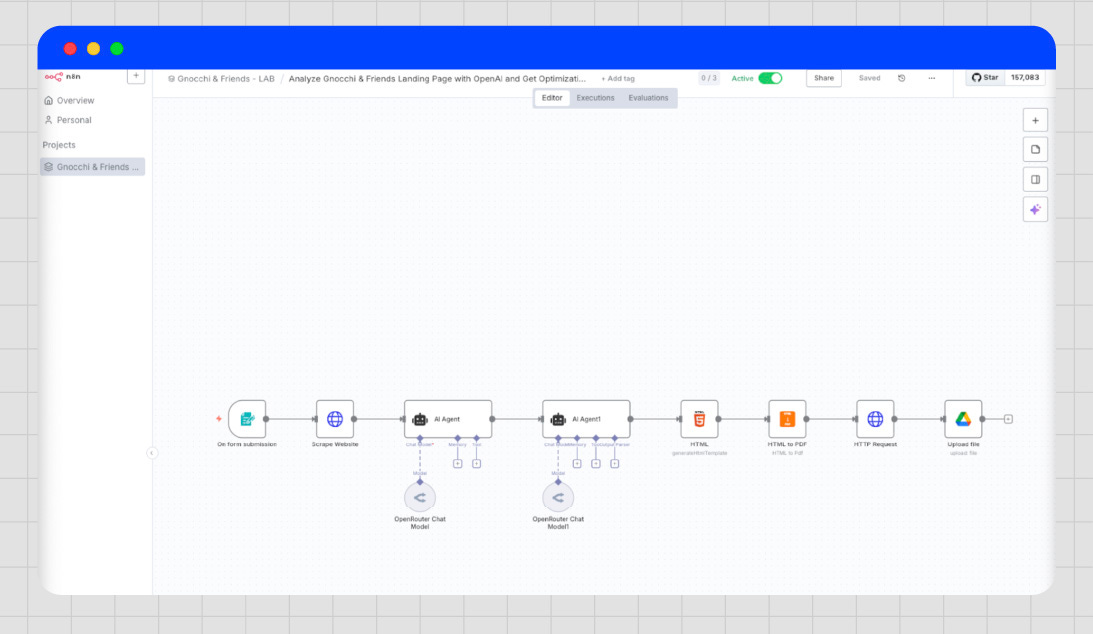
Aldo’s automation is a six-step agent-powered workflow that runs end-to-end inside n8n.
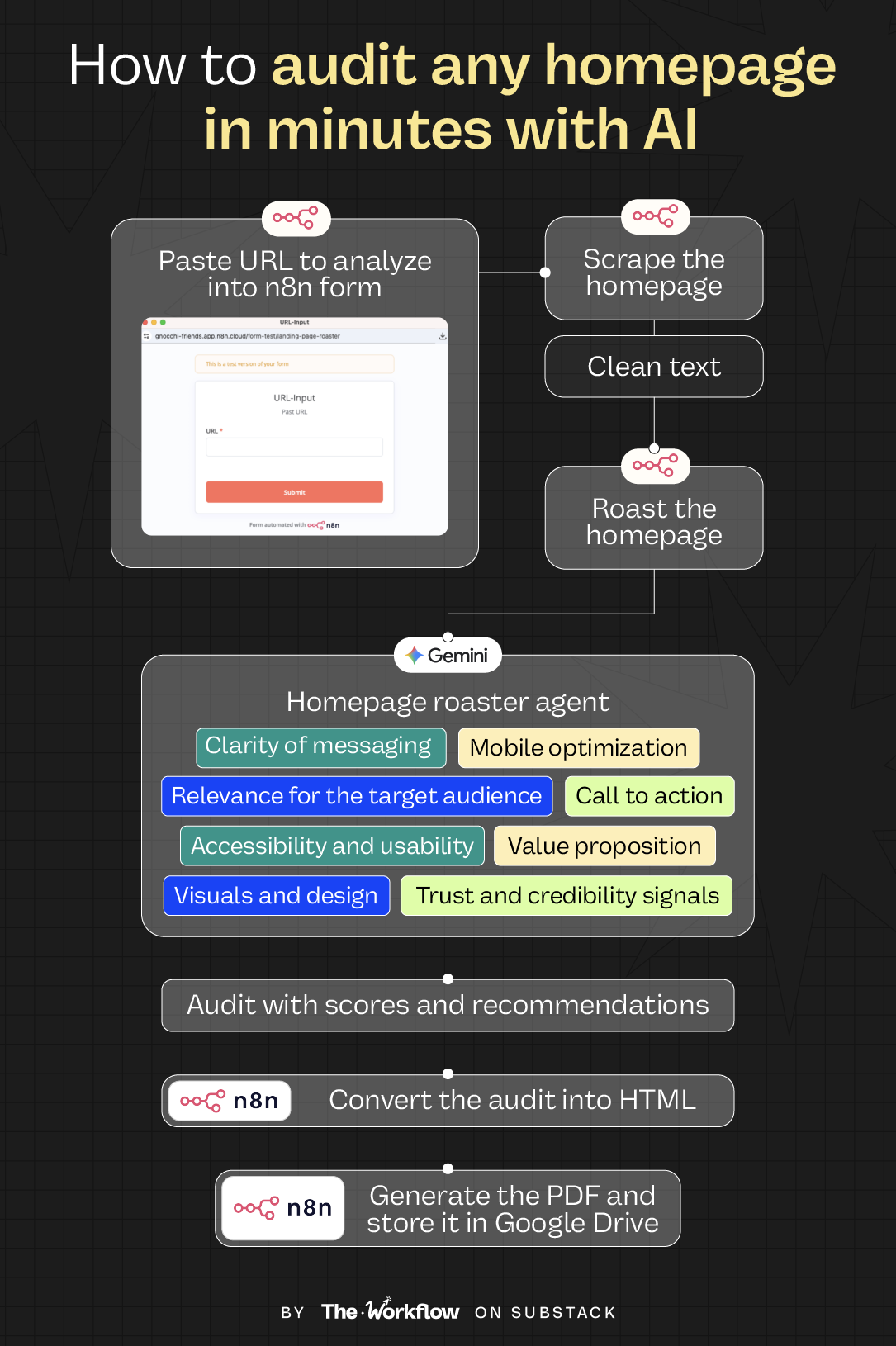
You enter a URL, hit submit, and the system scrapes the homepage, analyses it with a Conversion Rate Optimization (CRO) agent, formats the output, turns it into a client-ready PDF, and stores everything in your Google Drive. We focus on a homepage audit here, but the process is the same whether you are auditing a landing page or an entire website. You simply adjust the prompts.
Here’s how the whole thing works:
Step 1: Collect the URL via a simple n8n form
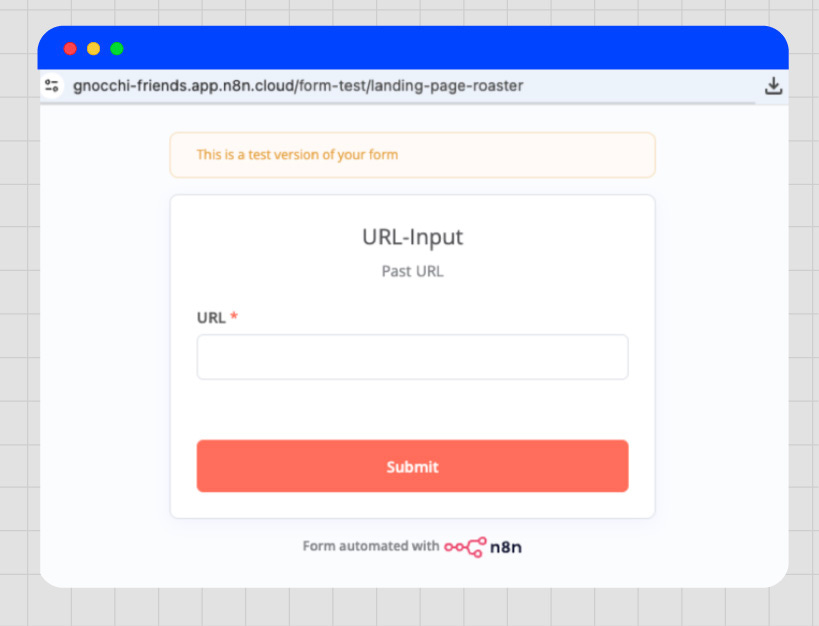
Everything starts with a lightweight n8n form where you paste the URL you want to audit. The moment you hit submit, the entire workflow fires automatically. Anyone on Aldo’s team can now run an audit without touching the backend or configuring anything. Paste, submit, done.
Step 2: Scrape the homepage
Once the form fires, n8n sends the homepage URL to a scraper that pulls the full HTML and turns it into clean text. This gives the agent a proper snapshot of the page and avoids the hallucinations and errors that often happen when you feed it copy-pasted fragments.
The output from this step becomes the data packet passed into the CRO agent, which we will now refer to as the “homepage roaster.” Aldo did not call it that, but he really should.
Step 3: Roast the homepage
This is where the workflow turns into a real audit engine. The scraped text flows into Aldo’s homepage roaster agent, powered by a structured prompt shaped by years of hands-on CRO teardown experience.
What should you consider when auditing a homepage?
Clarity of messaging
Relevance for the target audience
Value proposition and its strength
Call to action quality and specificity
Trust and credibility signals
Accessibility and usability
Visuals and design
Mobile optimization
This is Aldo’s go-to list. Think of it as a flexible audit backbone you can adjust to any website or business model.
To keep audits consistent and comparable across sites, he uses a scoring system from 1 to 10 for each factor, which then adds up to an overall score. Within each category, the agent evaluates specific sections of the page and produces actionable recommendations tied to the areas that need improvement.
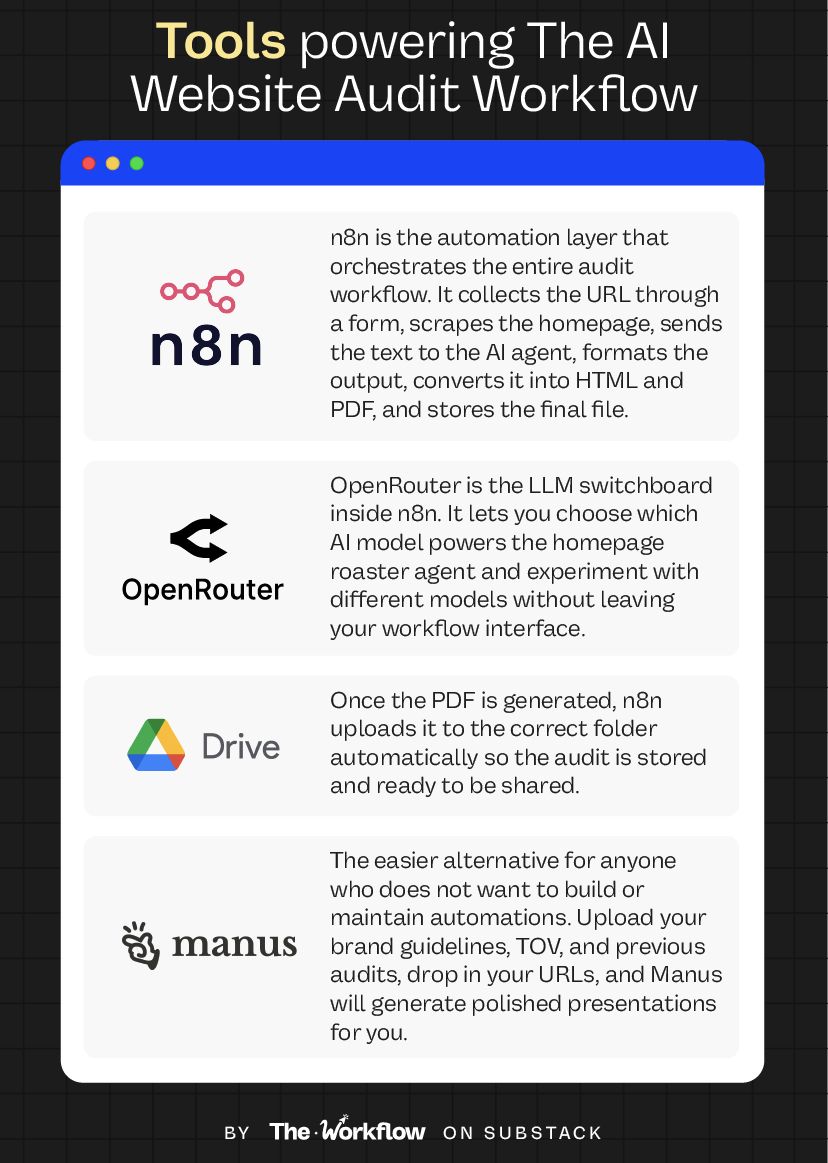
To run the agent, Aldo uses OpenRouter, an API hub that gives him access to any AI model through a single API into n8n, making experimentation across models a breeze.
For this workflow, Aldo picked Gemini Flash. Not because it’s the most advanced model, but because it’s fast and cheap per token. “A CRO audit doesn’t need creative genius; it needs consistency, structure, and speed.” Using an advanced reasoning model here would be “an overkill that just burns money.”
Even if n8n is not your thing, you can plug this prompt into any LLM or adapt it to whatever AI tool you already use.
Right after this step, Aldo uses a small formatting agent to turn the output into clean markdown so the HTML node can process it. It is a quick workaround that saves him from writing custom code. A simple custom node could do the same job for free, which is why Aldo sees this solution as functional but a bit of an overkill.
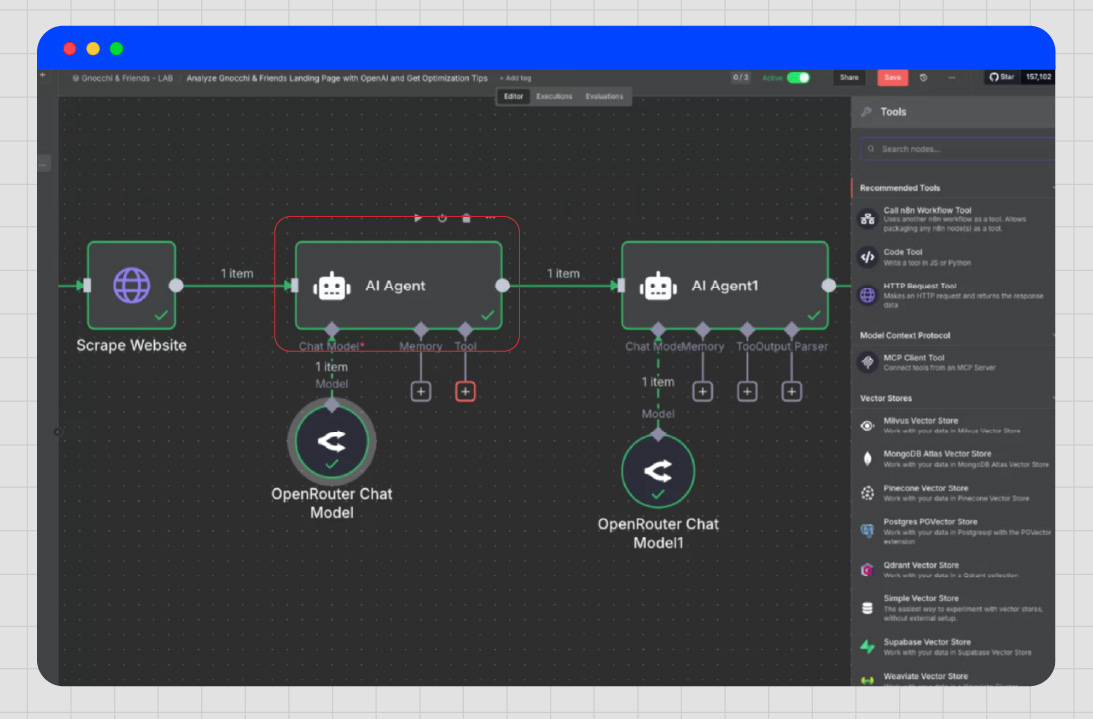
Step 4: Convert the audit into HTML
Once the markdown is ready, n8n passes it into a standard conversion node that turns the structured text into HTML. This is the point where the audit stops being a block of text and becomes a structured document with headings, lists, and a clear hierarchy.
HTML is the ideal intermediate format because it keeps the structure consistent and prevents formatting errors that often appear when exporting directly from an LLM. Aldo reviews the output here, while it is still editable, before the next step where n8n renders the HTML as a clean, client-ready PDF.
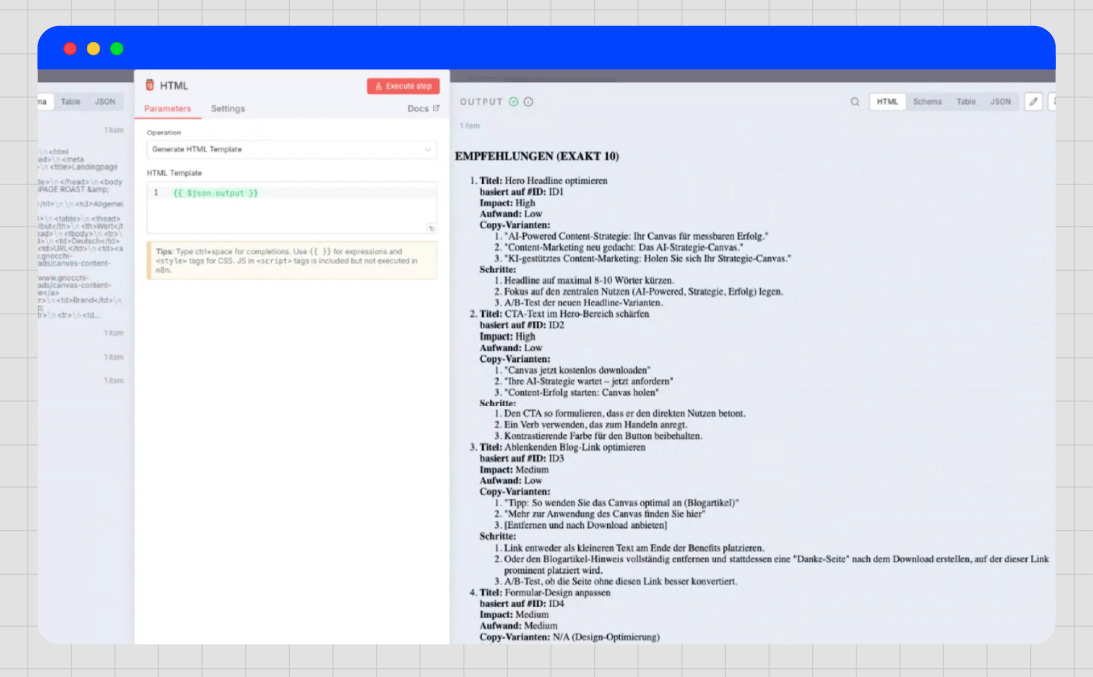
Steps 5 & 6: Generate the PDF and store it in Google Drive
After the HTML is created, n8n passes it to a PDF generator node that renders the audit into a clean, shareable document. Right after that, a separate Google Drive node uploads the PDF to the folder Aldo uses for all his audits.
The audit is proofread, formatted, exported, and filed away. Time to run the next one 🙂↔️
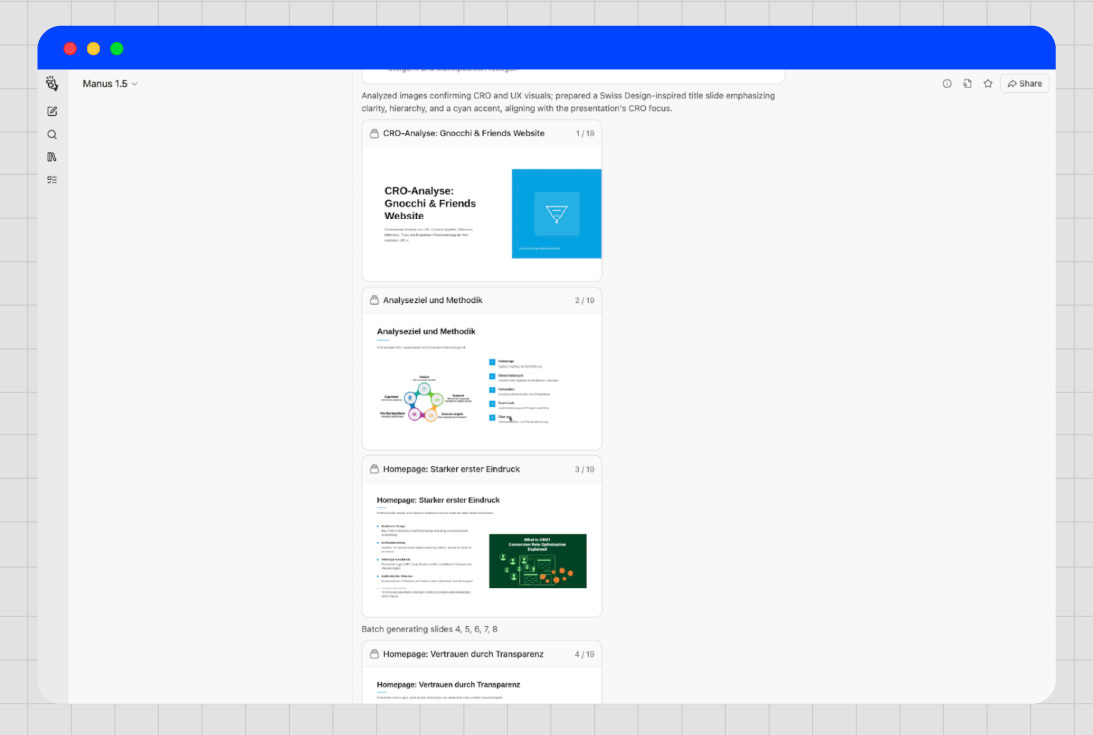
Lightweight alternative: Audit webpages using Manus
Unlike Aldo, not everyone enjoys the thrill of tinkering with n8n at 7 a.m. That is why he also showed us the alternative every marketer can use, no n8n skills required.
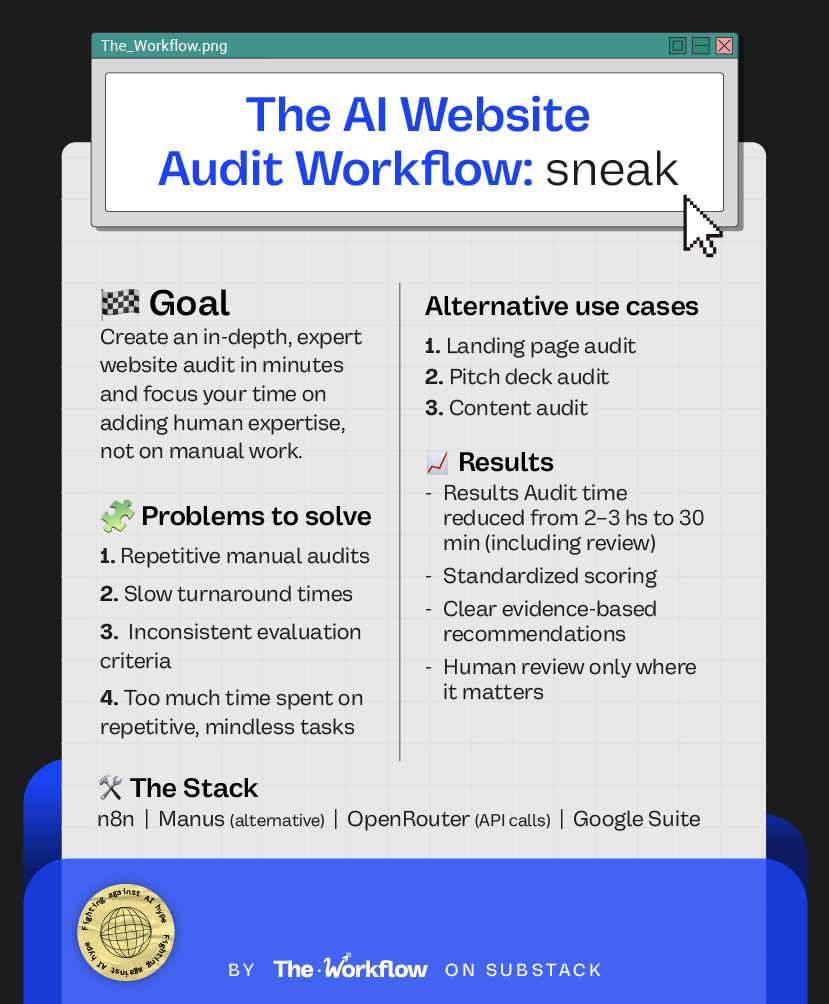
Good news for the non-techies out there. A tool like Manus lets you generate slide-ready audits without touching a single node. You create a knowledge bank with your brand guidelines, your TOV, and any previous audits or frameworks you want the model to follow, and it will generate a full presentation.
Compared to the n8n version, you get fewer customisation options and a higher price tag, but the process is much faster and the output comes with far better design out of the box. Use it to audit single webpages or full websites; the power is yours.
We have also included a shorter prompt you can use for Manus 🤖
🤖 Tools powering the Workflow
If you already use n8n or plan to build more automations, this workflow is a great place to start. If not, getting n8n just for this one use case is overkill.
🎢 Highs, lows and Workflow warnings
This is a shockingly simple workflow running on an overly complex platform. Most days it behaves like a well-trained assistant. On others, it reminds you that n8n is a playground where things can break just because you looked at a node the wrong way.
✅ What shines
A repeatable, scalable, and fast homepage audit workflow
This workflow turns a 2/3-hour homepage teardown into a structured audit that is ready in the time it takes to refill a coffee. The scoring system makes the process objective and consistent across websites, and the recommendations read like the work of a seasoned CRO consultant.
Human expertise is injected only where it matters.
Instead of spending hours structuring tables or copy-pasting audit templates, Aldo simply reviews the HTML output before it is converted to a PDF.
Getting started with n8n
If you want to break the ice with n8n, this workflow is the ideal place to begin. It is short, modular, and relatively easy to adjust. Plus, you will learn the basics of scraping, agent calls, formatting, and file export (yay!).
❌ What doesn’t shine
n8n requires a steep learning curve
Even though Aldo has been experimenting with hundreds of AI tools over the years, he openly admits that n8n is a hard nut to crack. “Whenever you see an error warning, it’s super hard to figure out what the problem is. Did you choose the wrong output or the wrong authentication? Debugging can drive you crazy.”
Editing HTML output is a pain
The workflow goes straight from HTML to PDF, which means the HTML node is where Aldo fact-checks and tweaks the agent’s output.
⚠️ Workflow warning
To solve the pain of editing output in the HTML node, we tried to vibe-code a Google Docs node on the fly during the interview (are we cool now?) using n8n’s AI assistant. It went nowhere. With n8n, the moment you start tweaking nodes, you feel the steep learning curve. Complex workflows or custom nodes often require JavaScript or Python, and while you can eventually hack your way through with ChatGPT, Claude, Gemini, or the n8n community, it still takes time to get right.
This isn’t a warning against non-technical builders. It is a reminder that behind each shiny workflow there are plenty of unsexy bits nobody mentions, like setting up API infrastructure, configuring HTTP requests, debugging your vibecoding attempts, and more.
✨ The Goldflow
“AI has freed up a lot of my time, but that’s nothing compared to how much it’s feeding my curiosity.” For Aldo, every workflow and every experiment becomes a doorway to ten more ideas he feels the urge to explore immediately. “Today I am a movie director with Sora… and tomorrow who knows? This is SO exciting for me!” You could genuinely hear the spark in his voice.
The more possibilities open up, the faster we all start tinkering with things that are fun, pointless, and suddenly: two hours. Gone. This is the paradox of our AI era.
Building workflows is only one skill. Knowing when to close the laptop is the other.
But only for now. In two weeks, you will be back here stealing the next roaring workflow we cooked up for you.
Sara Stella & Diandra ✌🏼
Can’t survive two weeks without us? Catch up on past Workflows and steal the playbooks you missed.
🚀 The LinkedIn Content Workflow for scaling thought leadership
🗣️ The Voice of Customer Workflow to power your content strategy
🤝🏼 The Buyer Validation Workflow to align Marketing and Sales
🔥 Help us roast more webpages. No violence involved.

What a great article 👏 You guys rock 🤩🔥