
The Voice of Customer Workflow to power your content strategy
Turn customer call transcripts into a knowledge hub to fuel content, sharpen messaging, and guide sales conversations.
Welcome back to The Workflow, your bi-weekly dose of AI and automation playbooks for people who actually want results, not some dude on social media bragging, “AI replaced my entire content team in 3 prompts. Comment 🍆 for the secret sauce.”
In our last issue, our guest Grant combined multiple LLMs, automation, and human review to transform his endless Zoom calls into a daily pipeline of LinkedIn posts that sound exactly like him.
This week, we’re flipping the script. Same raw material, transcripts, but a completely different use case.
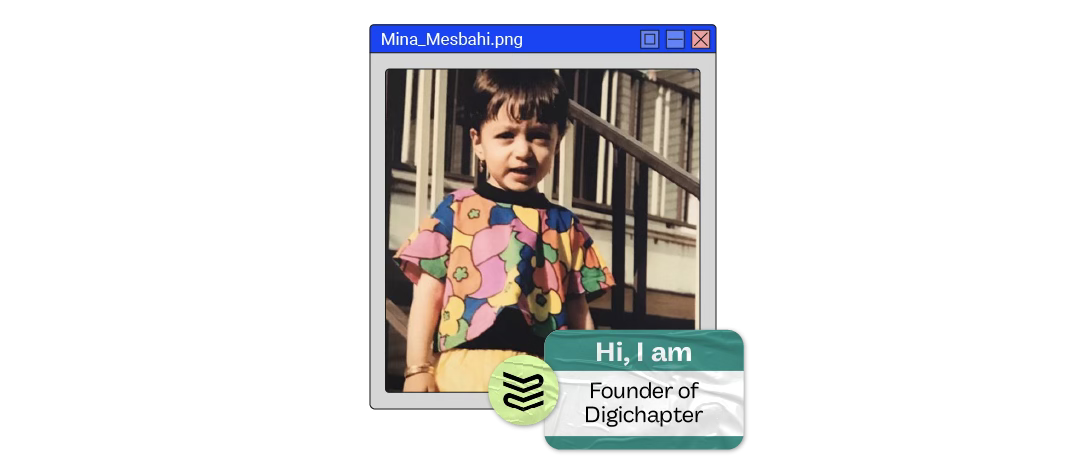
Sara’s friend Mina Mesbahi, founder of boutique content consultancy Digichapter, built a CustomGPT (baptism name: Customer Echo 🫨) that digs through sales call transcripts (discovery, pitches, demos etc.) with Swiss precision, extracting customer insights to fuel a winning content strategy.
Time to trade clickbait hacks for what your buyers actually care about. You ready?
✅ What you’ll learn
How to build and train a CustomGPT to extract customer pains, goals, and language directly from sales call transcripts
How to automatically organize emerging insights in a centralized knowledge hub for better analysis
How to ground your content strategy in what buyers actually say
🧨 What triggered The Workflow
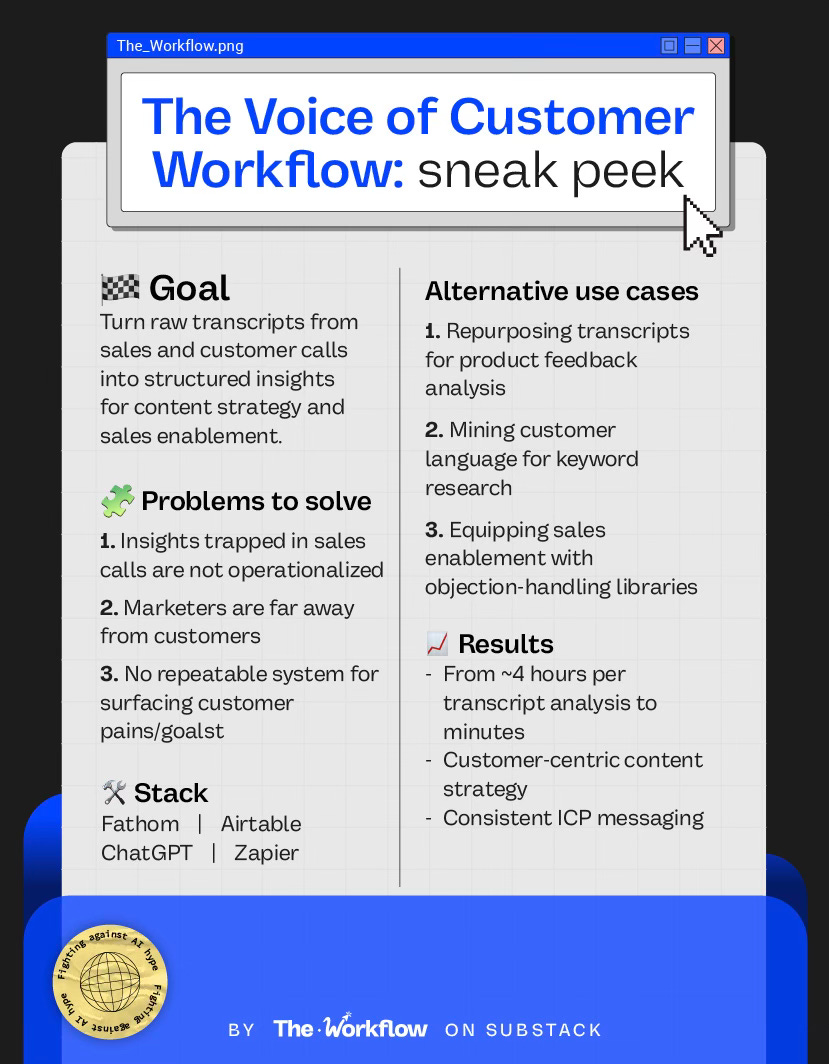
For B2B marketers, pitches, demos, and customer call transcripts are goldmines that mostly go untouched. The old problem was access: marketing rarely sat in on sales calls, and relying on someone else to share insights was a losing bet. Today, the problem is the opposite: endless recordings with no system to turn them into repeatable, actionable insight.
Mina spotted this gap again and again: “Teams have a ton of insights in their sales conversations, but it’s either not being operationalized or they just don’t have access to it.”
Her remedy was to build a CustomGPT that pipes transcript insights into Airtable, surfacing customer pains, goals, and phrasing at scale.
🌟If you’re already sitting on this kind of gold, how long can you afford to leave it buried?
🛠️ How to build The Workflow
Mina’s Customer Echo works like a sharp-eyed virtual analyst, combing through transcripts and tagging every quote by pain, goal, trigger, or objection. Once that engine is in place, the rest clicks together: capture the calls with Fathom, run transcripts through the GPT, drop structured quotes into Airtable, and watch themes roll up into insights that actually steer your content strategy. What follows is the playbook, complete with GPT instructions and Airtable views — so you can mirror the system, giving your transcripts a second life.
Step 1: Build your CustomGPT
Mina nicknamed her CustomGPT Customer Echo because, while it can handle many tasks, its only real job is to mirror the customer’s voice back to the team.
Set up instructions for your own Customer Echo
1. Knowledge bank
When configuring your GPT, load it with a knowledge bank that anchors it in your strategy. Upload a content strategy foundation doc containing:
ICP details (demographics, firmographics, pains, jobs-to-be-done)
Content goals (translated from business prios)
Company messaging and perspectives
Content themes
Content inventory (past + planned) as a blueprint
Promotion and campaign plans
Any other strategic sales and marketing inputs
2. Recommended model
Mina prefers GPT-4o over 5 because it’s faster, handles conversational data more smoothly, and captures nuance in how people actually speak — quirks, hesitations, even the emotional weight behind objections. Perfect for parsing transcripts where customer pains are often hidden between the lines.
3. Capabilities
Leave web search off. You want the model laser-focused on your transcripts and strategy docs, not wandering the internet.
4. Instructions and conversation starters
These live in a separate doc. They guide the analysis and dictate how outputs are structured. Think prompts like comparing quotes against strategy topics, gap analyses, or surfacing ready-to-use VoC examples. Mina prefers to handle formatting rules inside the CustomGPT itself and as you’ll see in the next step, she slices insights into four fixed Airtable views.
👉🏼 Grab the Conversation starters & Instructions doc to build your CustomGPT
Step 2. Capture the calls
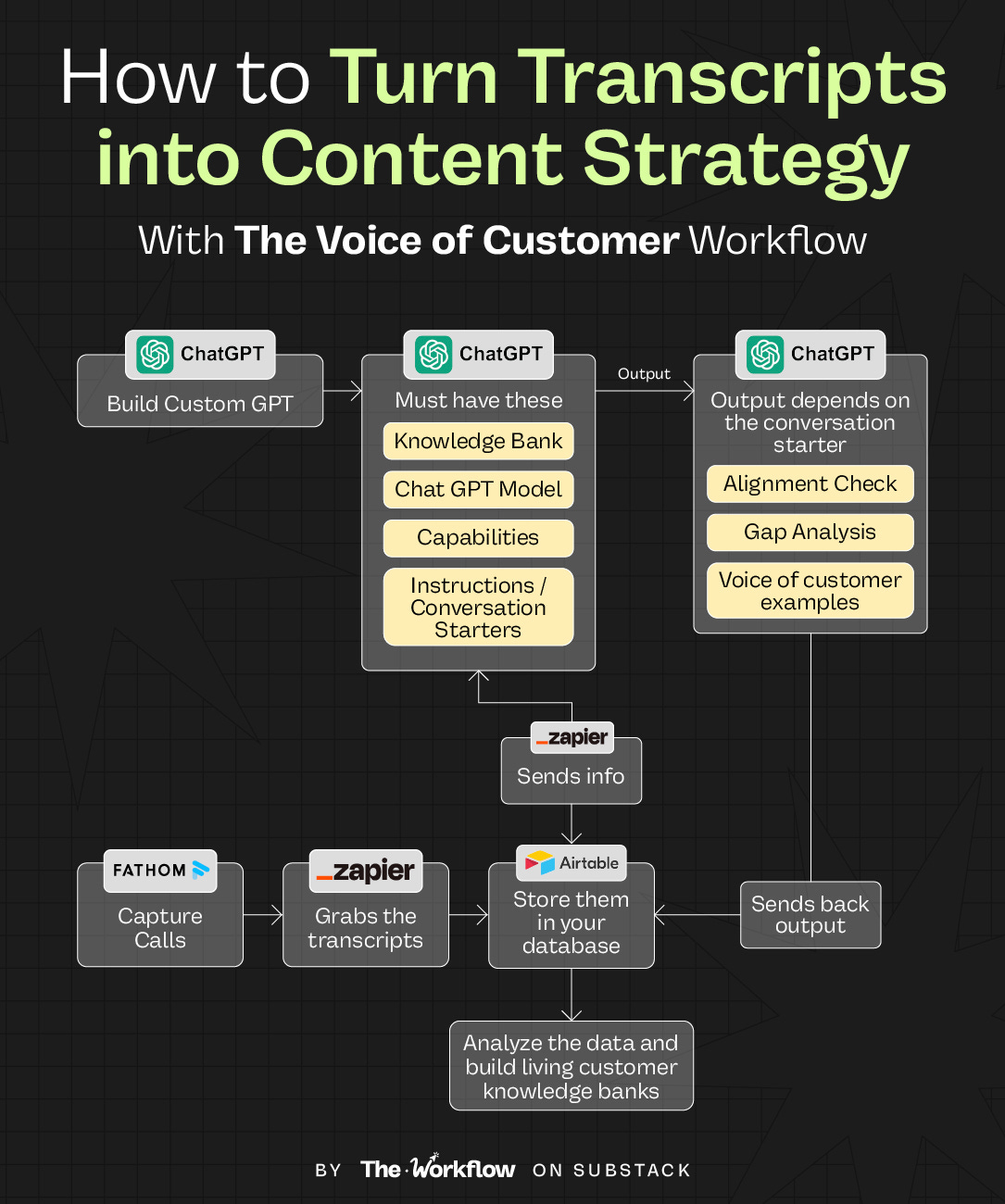
Once your CustomGPT is ready, you need a steady stream of transcripts to feed it. Mina uses Fathom to record and transcribe sales or customer calls. From there, the raw transcript (timestamps and all) flows into Airtable via Zapier. If you’ve never heard of Aitable, drop it into Notion, ClickUp, or even Google Sheets.
The only rule: pick one home base your team can actually use as a single source of truth.
Her advice: don’t sanitize transcripts too early. Keep timestamps intact so you can always trace a quote back to the exact moment in a call. If privacy is a concern, you can strip names, but avoid cutting context that could matter later.
How the flow works
Customer call ends → Fathom transcript ready.
Zapier pushes transcript + metadata into Airtable.
Airtable creates a record with the raw transcript attached.
That record then triggers your CustomGPT to process it and return structured quotes.
Step 3. Run the CustomGPT and extract the gold
When a transcript is ready, Zapier sends it straight to your CustomGPT. This is where the real analysis begins, and it’s not one-size-fits-all. The output depends on the conversation starter
In this case, we’ll switch between three:
Alignment check: “Compare these customer quotes with my content strategy topics and highlight what’s aligned vs. not covered.”
Gap analysis: “What customer needs from this call don’t map to our current strategy?”
Voice of customer examples: “Suggest three relevant verbatim quotes we could use directly.”
Each run gives you a different lens on the same transcript. The goal at this stage is to pull out structured insights you can work with later.
Once the CustomGPT has done its job, Zapier sends the generated data back into Airtable. That’s where the real sorting and pattern-spotting happens — which we’ll break down in the next step.
Step 4. Analyze the data in your central knowledge hub
With transcripts processed by your CustomGPT, Airtable (or your PM tool of choice) becomes your control room. The workflow is structured into four tables, and within each table you can spin up different views using filters and groups to apply the lens you need.
1. Voice of the customer (VOC) view
Conversation starter: “Suggest 3 relevant voice of customer examples.”
This is the raw library of tagged quotes that highlight pains, goals, and objections in the exact words customers use. Think of it as your searchable archive. Writers and marketers can dip in any time to pull authentic phrasing for copy, headlines, or pitch decks.
2. Alignment assessment view
Conversation starter: “Compare these customer quotes with my content strategy topics and highlight what’s aligned vs. not covered.”
Here, insights are compared against your existing content strategy topics. Each quote is labeled as aligned, partially aligned, or not covered. This shows whether your current strategy actually reflects customer reality. For (content) marketers, it’s the quickest way to spot gaps before they snowball.
3. Gap analysis view
Conversation starter: “Give me a gap analysis from this call: what customer needs don’t map to our current strategy?”
This view highlights customer needs that don’t map to your current strategy at all. Marketers can use it to propose new content themes or angles. Product marketers can use this view to spot missing tutorials, customer onboarding docs, or areas where product messaging needs a refresh.
4. Sales enablement view
This table pulls data straight from the Voice of Customer library, capturing every quote the CustomGPT tags as a pain, goal, trigger, or objection, and matching them with topics already covered in your content strategy and assets.
From there, you can create a clean view tailored for sales by grouping insights by content themes, quarters, or content formats, depending on how your reps think and work. Done right, this becomes a plug-and-play library —a single place for proof points, objection-handling materials, case studies, thought leadership, and authentic customer phrases that they can use directly in calls and follow-ups.
No more excuses for not using the content you’ve created or for slacking you at 5 a.m. with “Where’s the case study??? #pitchTomorrow.”
⚠️ Mina recommends not to simply copy and paste her setup without giving it some thought.
“Within your company and team, you’re going to have different dynamics, nuances, and challenges. The power is in customizing the views and insights to fit your reality. It’s an extremely versatile workflow.”
👉🏼 Haven’t built your Custom GPT yet? Grab the Conversation starters & Instructions doc to do it right now.
🤖 Tools powering the Workflow
The Voice of Customer Workflow runs on a lean stack: Fathom for call transcripts, Zapier to move data between tools, a CustomGPT for tagging and analyzing quotes, and Airtable as the central hub for storing information. It’s a setup any scrappy team can afford. The real power lies in the custom views that keep strategy and sales anchored in the customer’s voice, as well as the ability to refresh customer insights in real-time.
🎢 Highs, lows and Workflow warnings
This workflow is gold but AI still has its cracks. Here’s where it shines and where it stumbles.
✅ What shines
HUGE time savings: Manually reviewing a single transcript can easily take four hours: rewatching the call, combing through notes, and cross-checking your content inventory. With this workflow, the grind drops to minutes and human error to zero.
Holistic customer view: Both teams work from a single, living library of customer insights that updates with every new call, ensuring continuous alignment.
❌ What doesn’t shine
Short calls with little substance don’t magically become gold. Sometimes you just won’t get enough insight to work with.
On the flip side, long or insight-dense calls can cause analysis paralysis. Don’t chase every single nugget; put your strategist’s hat on and filter for what matters this month or for X campaign.
⚠️ Workflow warning
The Voice of Customer Workflow isn’t a substitute for being in the room. Interacting with real humans provides the context and understanding you can’t get from Airtable rows alone. As Mina puts it, “Don’t let the system become a crutch. Use it to lighten the load, not replace human connection with customers.”
✨ The Goldflow
“AI won’t save you from bad habits, it will just scale them.” Mina’s reminder is sharp.
The magic isn’t in the model; it’s in the documentation. A well-structured content strategy turns AI into a force multiplier; a messy Google Drive turns it into a random quote machine. Get specific, get documented, and your GPT becomes a strategist. Skip that step, and you’re just asking the internet to make stuff up.
Two weeks from now: another workflow, another excuse to rethink how you work.
Sara & Diandra ✌🏼
🫨 Don’t keep Customer Echo a secret
🌯 It’s a major wrap
This was the sixth edition of The Workflow, a bi-weekly newsletter by Sara Lattanzio & Diandra Escobar, featuring one real workflow that moved the needle for someone even smarter than the system they built.


